Support Center
Get help with your Airmax Internet service. We're here for you 24/7.
Live Chat
Mon-Fri 10am-6pm, Sat-Sun Tech Support
Interactive Connection Troubleshooting
Follow our step-by-step visual guide to check your connection
Easy to follow • No technical knowledge required
Locate the PoE Power Injector
Find the small PoE box, typically located 4-5 feet from your router or near where the cable enters your home.
PoE Power Injector
📏 Usually 4-5 feet from your router
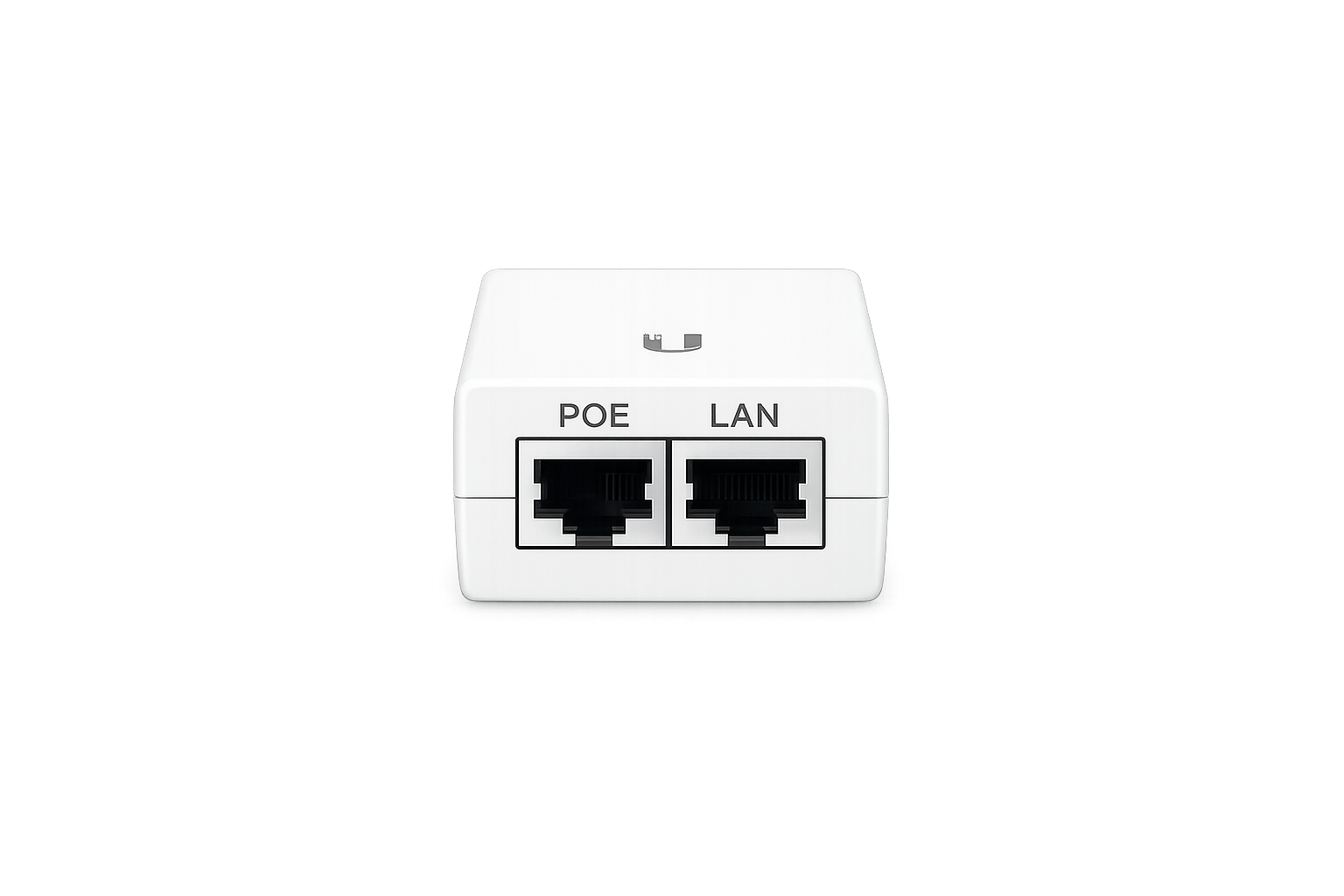
Look for a small box with two ethernet ports
Usually located near where the cable enters your home or close to your router
Still having issues after following these steps?
Call Support: 928-565-6707Smart TV WiFi Troubleshooting
Modern smart TVs are essentially computers with memory, processors, and software. Like any computer, they can experience glitches, memory issues, and connectivity problems.
Important: Try these steps in order. Most TV WiFi issues can be resolved with a simple power cycle (Step 1).

💡Still Having Issues?
If you've tried all these steps and your TV still won't connect to WiFi, the issue may be with your router or internet service. Try these additional steps:
- •Restart your router (see our Router Troubleshooting section above)
- •Try connecting another device to verify your WiFi is working
- •Use an Ethernet cable to connect your TV directly to the router
- •Contact us at 928-565-6707 for further assistance
Common Issues & Solutions
Find quick solutions to the most common internet problems.
No Internet Connection
- 1Check if the issue affects all devices
- 2Restart your router and modem
- 3Check all cable connections
- 4Verify account status in customer portal
- 5Contact support if issue persists
Slow Speeds
- 1Run a speed test at speedtest.net
- 2Restart your router
- 3Check for background downloads/uploads
- 4Limit number of connected devices
- 5Move closer to router if using Wi-Fi
Wi-Fi Connection Issues
- 1Restart your device's Wi-Fi
- 2Forget and reconnect to the network
- 3Check if you're within range
- 4Restart your router
- 5Update your device's network drivers
Frequently Asked Questions
Get answers to common questions about our service.